Sub-Total: $0.00
Please enter search criteria.






Contact Us
509-359-4216 (John)
509-359-4728 (Marcie)
Eagle Store, 116 PUB
www.eaglestore.ewu.edu
Click on the “Find Your Textbooks” link on the textbook page. It will bring you to a site where you can enter your class information, including term, department, course, and section. When you have filled out this information, hit the green “Compare Prices” button. This will show you all the required textbooks for your class and give you information on where to purchase them. Canvas eBooks will say “Canvas eBooks” in the title, and you DO NOT have to purchase them. They have been charged to your student account. NOTE: The Eagle Store does not sell physical textbooks.
To access your Canvas eBook, log in to Canvas and select your class. Click the “My Textbooks” tab, select the textbook you’d like to access, and click the “Read Now” button. You will be able to read your textbooks. Canvas eBooks are viewable on the first day of the term once your instructor has published the course in Canvas.
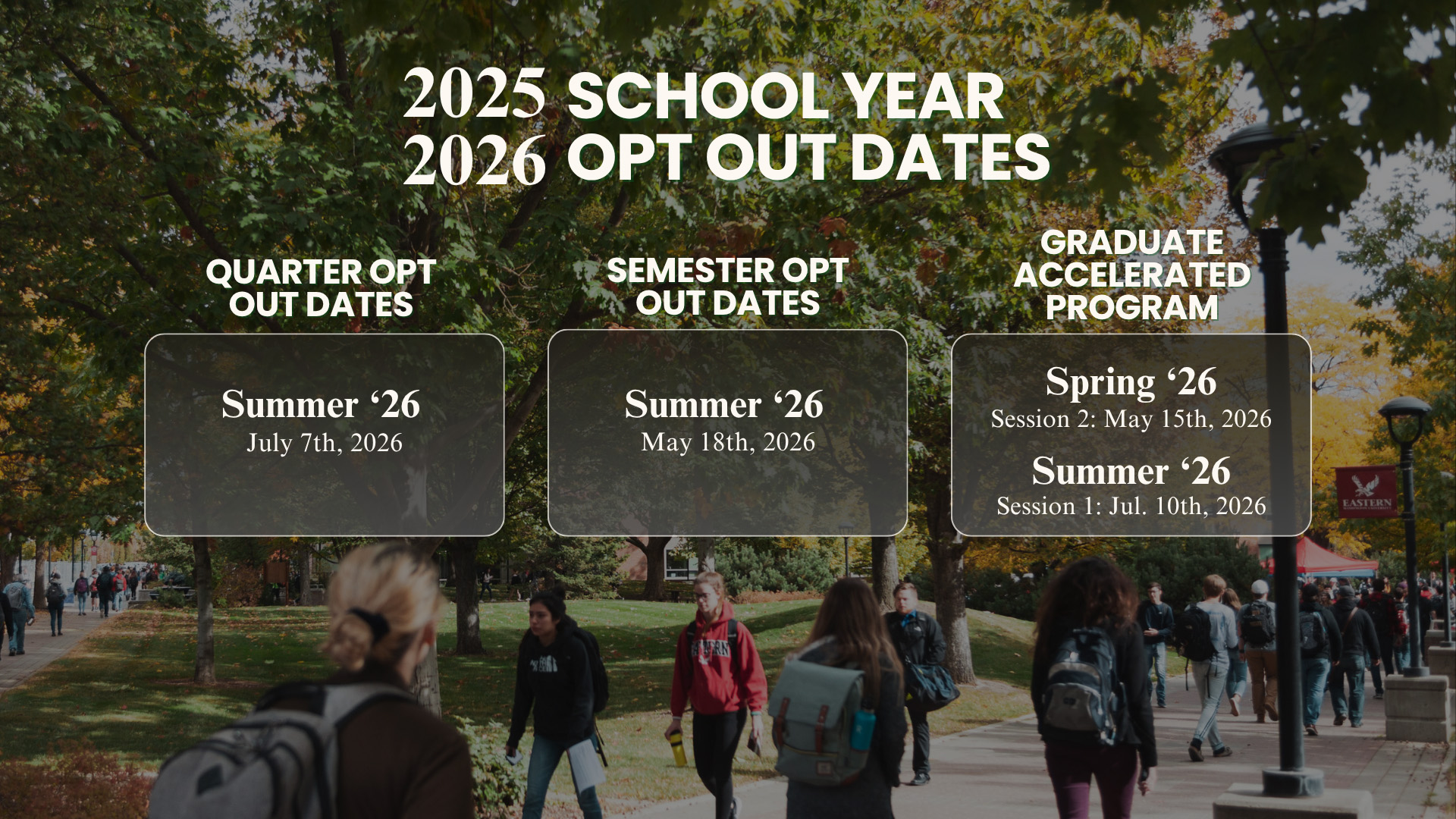
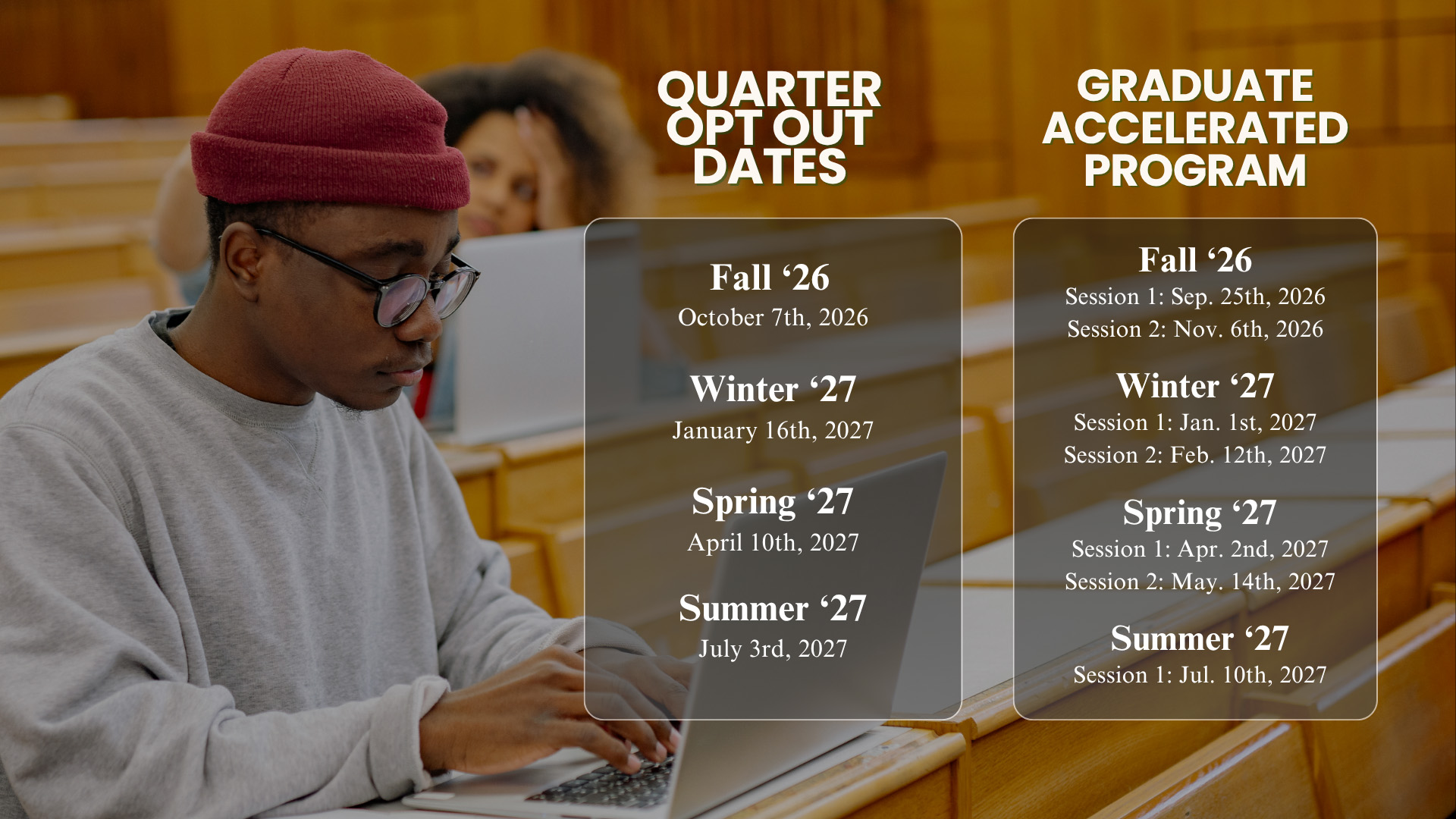
Some instructors work with publishers to create custom course materials. These materials often include an eBook and additional digital components such as McGraw-Hill Connect and Cengage MindTap. Most often, these digital materials are required to complete homework assignments, quizzes, labs, and/or tests. Be sure to check with your instructor before opting out of your Canvas eBook with Courseware.
Courseware is most commonly set up as a separate tab by the instructor. i.e., McGraw-Hill Connect or Cengage MindTap. If it doesn’t appear in another tab, check Modules, Dashboard, or click on an assignment to find access.
Your instructor, department, or the Textbook Resource Center can help you with questions regarding your textbooks. You can also email the Eagle Store Textbook Resource Center at [email protected] or contact our textbooks specialists directly.
Marcie Estrellado (509) 359-4728 [email protected]
John Austin (509) 359-4216 [email protected]

-
- 2023 Eastern Washington University |
- Privacy Policy |
- Accessibility |
- Rules and Policies